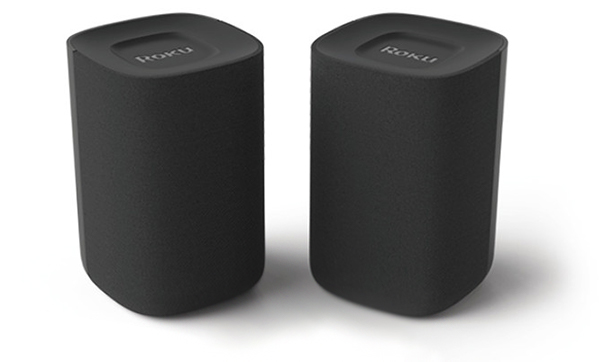
With no messy audio cables to connect, you have the freedom to position your wireless speakers anywhere within range of your TV and can be up and running in minutes. Just plug each speaker into a power outlet and listen for the setup instructions. Use your existing Roku remote to complete the guided process and control your new speakers, or set up your new voice remotes (model 9030 only) and store your existing remote away as a backup.
Roku wireless speakers are available in three varieties:
Product Model Included remotes Roku Wireless Speakers 9020R2 None Roku TV Wireless Speakers 9030 Roku TV Voice Remote
Roku Touch™ tabletop remoteonn.™ • Roku Wireless Surround Speakers 9040 None
How do I get started?
To help you get the most from your Roku wireless speakers and fine-tune your listening experience, you can follow along with the tutorial videos below or review the Quick Start Guides. You can also browse the list of hand-picked articles to learn about a variety of related topics from troubleshooting technical issues, to streaming your favorite content, to personalizing your Roku experience.
Remember, you can always add a Roku Wireless Bass or Roku Wireless Bass Pro for deeper, richer bass. And when you are ready for a true cinema-like experience, use your wireless speakers as part of a complete Roku surround sound system.
Roku Wireless Speakers setup instructions
onn. • Roku Wireless Surround Speakers setup instructions
Quick Start Guides
- Roku Wireless Speakers (model 9020R2)
- Roku TV Wireless Speakers (model 9030)
- onn. • Roku Wireless Surround Speakers (model 9040)
Set up your wireless speakers
When you are ready, proceed with the simple setup process.
Resolve setup issues
Should you run into an issue during setup of your wireless speakers, you can find help in a variety of technical articles.
Setup
- How do I resolve problems pairing my Roku wireless speakers?
- How do I update the software on my Roku device?
- How do I factory reset my Roku wireless speakers?
- How do I turn off the status LED on my wireless speakers?
- How do I clean my speakers?
Network
Picture and sound
- How do I resolve audio playback issues?
- Why is there a delay with video game play when I connect Roku wireless speakers?
Remote control
Learn about Roku features
The Roku OS offers a number of great features to help you get the most from your wireless speakers and voice remotes.
- How do I listen to music on my wireless speakers?
- How do I use my voice to search and control my Roku device?
- What voice commands can I use with my Roku device?
- What do I need to use voice commands?
- How do I change the default audio apps my Roku device launches for voice commands?
- How do I listen to music when the screen on my Roku TV is off?
Adjust sound settings
Tailor the sound to match your room by fine-tuning the listening experience on your wireless speakers.
Connect with Bluetooth®
Connect a Bluetooth-enabled device and you can listen to music, podcasts and other audio from your smartphone, tablet, or computer on your wireless speakers.
Last updated at 8/18/2026 8:16:34 PM
Was this article helpful?
Related articles
Need more help?
