Roku® wireless speakers add full, rich sound to your TV streaming experience. To get the best performance, place your speakers strategically in your room using the guidelines in this article. When doing so, remember that every room is unique and affects sound differently. Be sure you experiment with placement to find what sounds best to you.
General considerations
Roku wireless speakers are designed to function in either a stereo configuration with your Roku TV™, or a surround sound configuration with your Roku Streambar®, Roku Streambar Pro, or Roku Smart Soundbar. When considering possible locations, take a few things into consideration:
- Are power outlets nearby? Each speaker has its own power cable that needs to connect to an outlet. If an outlet is not nearby, you may need a separate extension cable.
Are you mounting your speakers? Decide if you intend to place your speakers in a cabinet or on a piece of furniture, or if you wish to mount them to a wall or attach them to speaker stands (wall mounts and speaker stands not included). If you are mounting your speakers, choose wall mounts or speaker stands that can safely support at least four pounds, and that are compatible with the 1/4" 20-threaded mounting socket on the back of each speaker.
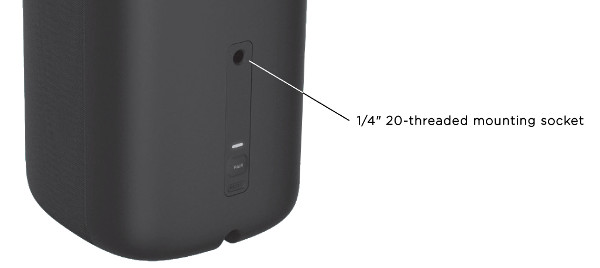

Note: SANUS® makes premium wireless speaker swivel mounts and speaker stands that work with Roku wireless speakers.
- Are other objects nearby? Place your speakers away from walls a bit when possible, and not in a confined space such as a tight cabinet. Also, avoid putting other objects in front of your speakers like furniture, photo frames, or books. With less sound bouncing off other surfaces, you hear more sound coming directly at you from the speakers. This helps improve clarity and musical details while reducing "boomy bass", or bass that sounds too loud.
- What height are your speakers at? Try placing your speakers at ear level (when sitting). If you place the speakers too low, or mount them too high, sound may not seem like it is coming from the actors or objects on the TV screen. If you have no choice but to put them low or high in your room, try aiming the speakers slightly toward your head or ears (when sitting).
Once you have a general idea where you want to place your speakers, go ahead and set your speakers up even if it means they are not yet in their final location. You will want to use them to listen to music or your favorite movie when experimenting with different speaker locations.
Placement guidelines with a Roku TV
After your wireless speakers are connected to your Roku TV, you can use the guidelines below to help determine the best placement for a stereo configuration.
Create audio separation: Place one speaker on the left of your Roku TV and the other on the right, spacing them evenly on either side.
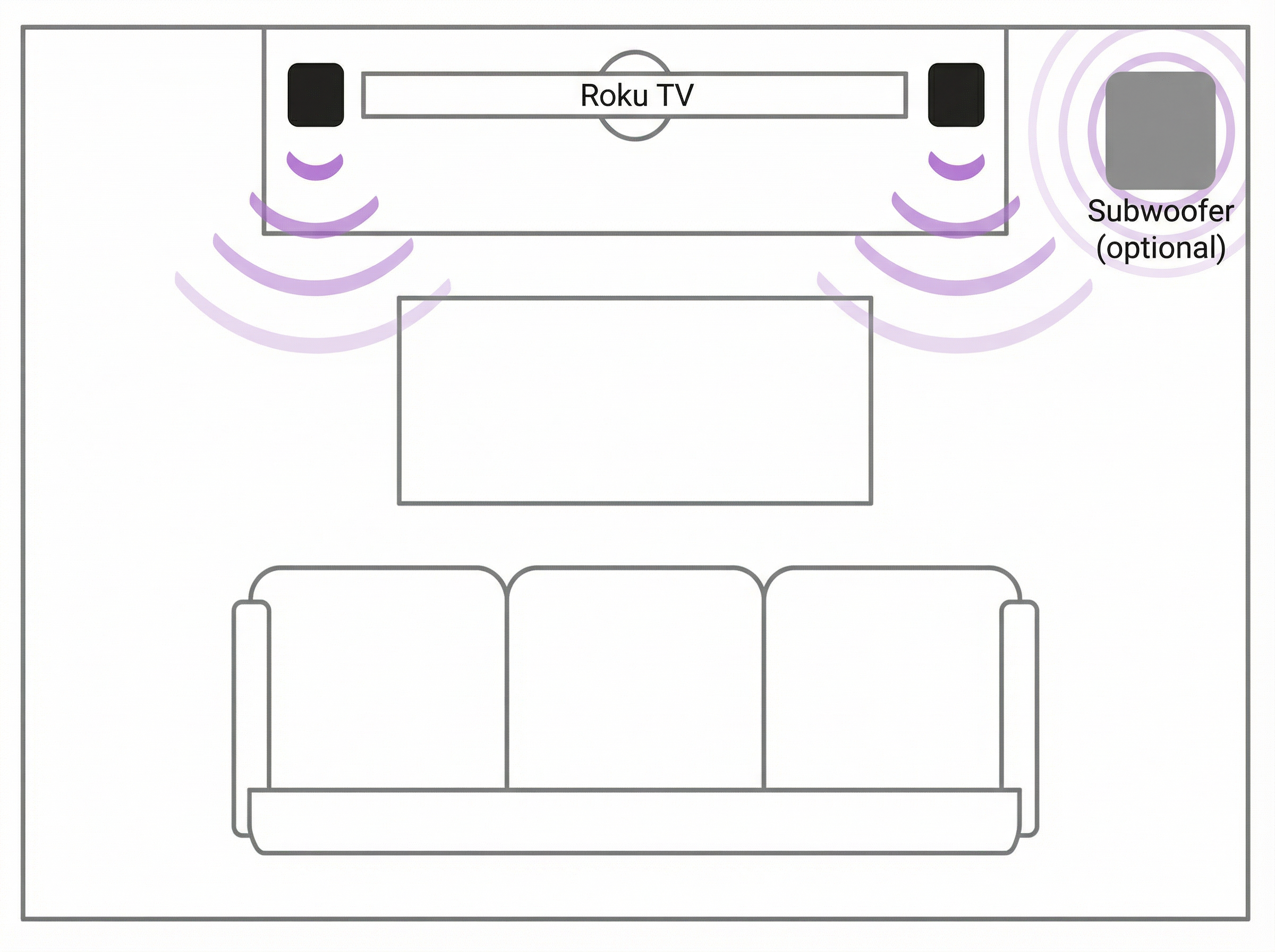
This lets you hear sounds coming from the left and right, rather than a single sound coming directly from your TV.
- Measure the listening position: For ideal stereo separation, the distance from your listening position to each speaker should closely match the distance between your two speakers. To say it another way, you want to create an equal-sided triangle when looking at the distance between your speakers and the distance from each speaker to your listening position.
- Experiment: Play some music you are familiar with and listen for distinct sound coming from the left and right, but not so much that a noticeable gap is heard in the middle. Move the speakers closer or farther apart until the sound is realistic, and most importantly, you like what you hear.
Placement guidelines with a Streambar or Smart Soundbar
Before you begin evaluating speaker placement, it is best to decide where to install your Roku Streambar, Roku Streambar Pro, or Roku Smart Soundbar. Ideally, it should be centered above or below your television screen to anchor dialogue and other critical sounds to characters and objects in the picture. Having your Streambar or Smart Soundbar installed in its final location when auditioning various speaker locations allows you to hear songs and movies as they will sound when your audio system is all set up.
For additional Streambar or Smart Soundbar guidelines, check out the:
- Installation guide for your Roku Streambar
- Installation guide for your Roku Streambar Pro or Roku Smart Soundbar
Once your Streambar or Smart Soundbar is installed, use the guidelines below for either a surround or full surround configuration.
Surround configuration
With this configuration, referred to as a 3.0 or 3.1 when a Roku subwoofer is connected, two wireless speakers are installed as rear left and rear right channels, and your Streambar or Smart Soundbar outputs sound for the front left, center, and front right channels.
Create sound separation: Place one speaker slightly behind your couch to the left, and the other slightly behind your couch to the right. Try spacing each speaker an even distance from where you sit.
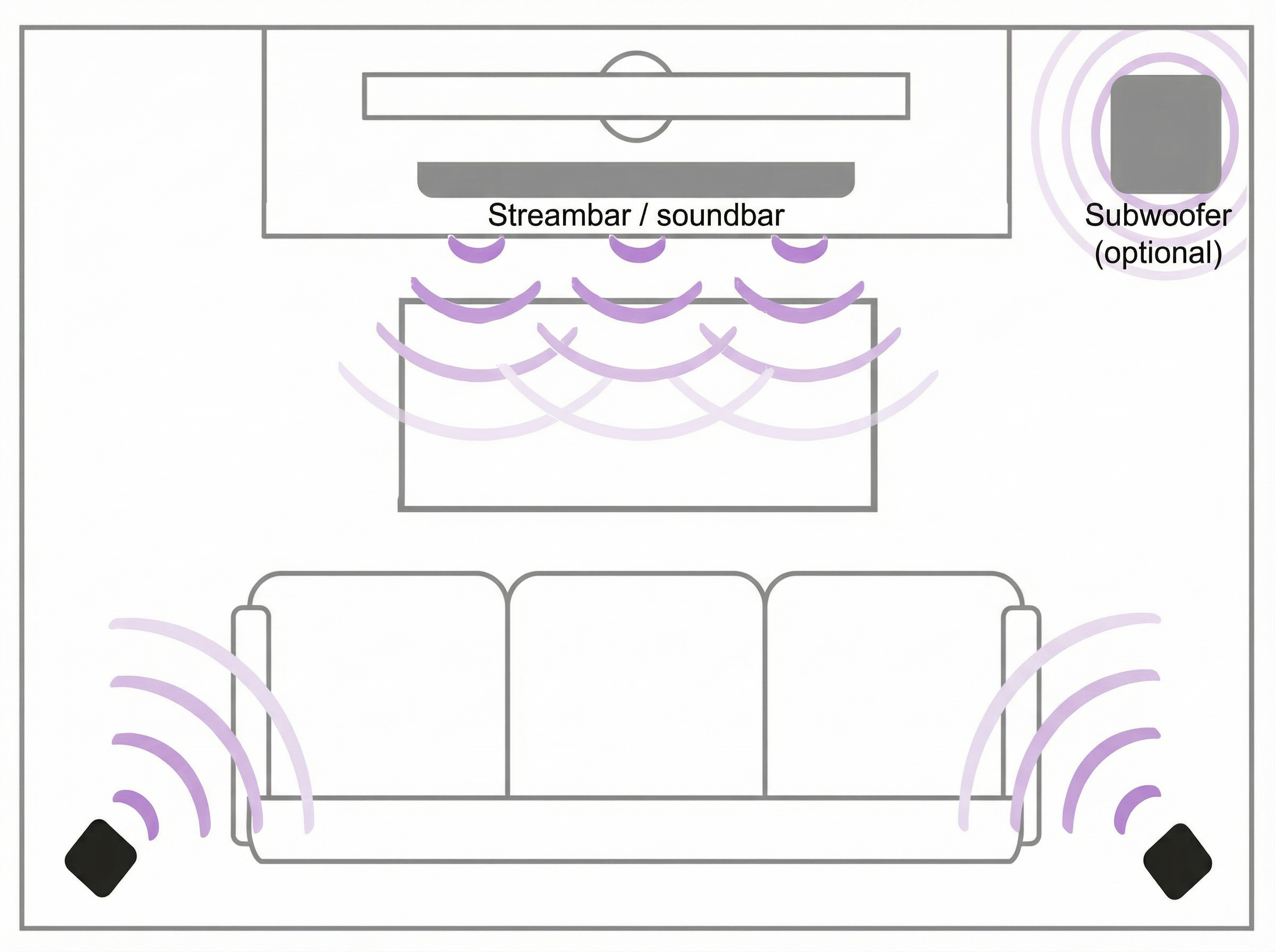
This lets you hear sounds moving from the left and right behind you, helping to create an immersive surround experience.
- Measure the listening position: For ideal surround separation, the distance from your listening position to each speaker should closely match the distance between your Streambar or Smart Soundbar and listening position. This helps you to hear sounds from all speakers at the same level regardless of the overall volume.
- Experiment: Watch a few action scenes from a movie or TV show and listen for sound coming from the rear left and right speakers. Move each speaker closer or farther away from where you sit until sounds are distinctly moving between the left and right speakers giving the illusion of movement. Continue experimenting with locations until you like how the surround effects sound.
Full surround configuration
With this configuration, referred to as a 5.0 or 5.1 when a Roku subwoofer is connected, four wireless speakers are installed as front left, front right, rear left, and rear right channels, and your Streambar or Smart Soundbar outputs sound for the center channel.
Create sound separation: In the front of your room, place one speaker to the left of your Streambar or Smart Soundbar, and the other to the right, spacing them evenly on either side. In the rear of your room, place one speaker slightly behind your couch to the left and the other slightly behind your couch to the right. Try spacing each speaker an even distance from where you sit.
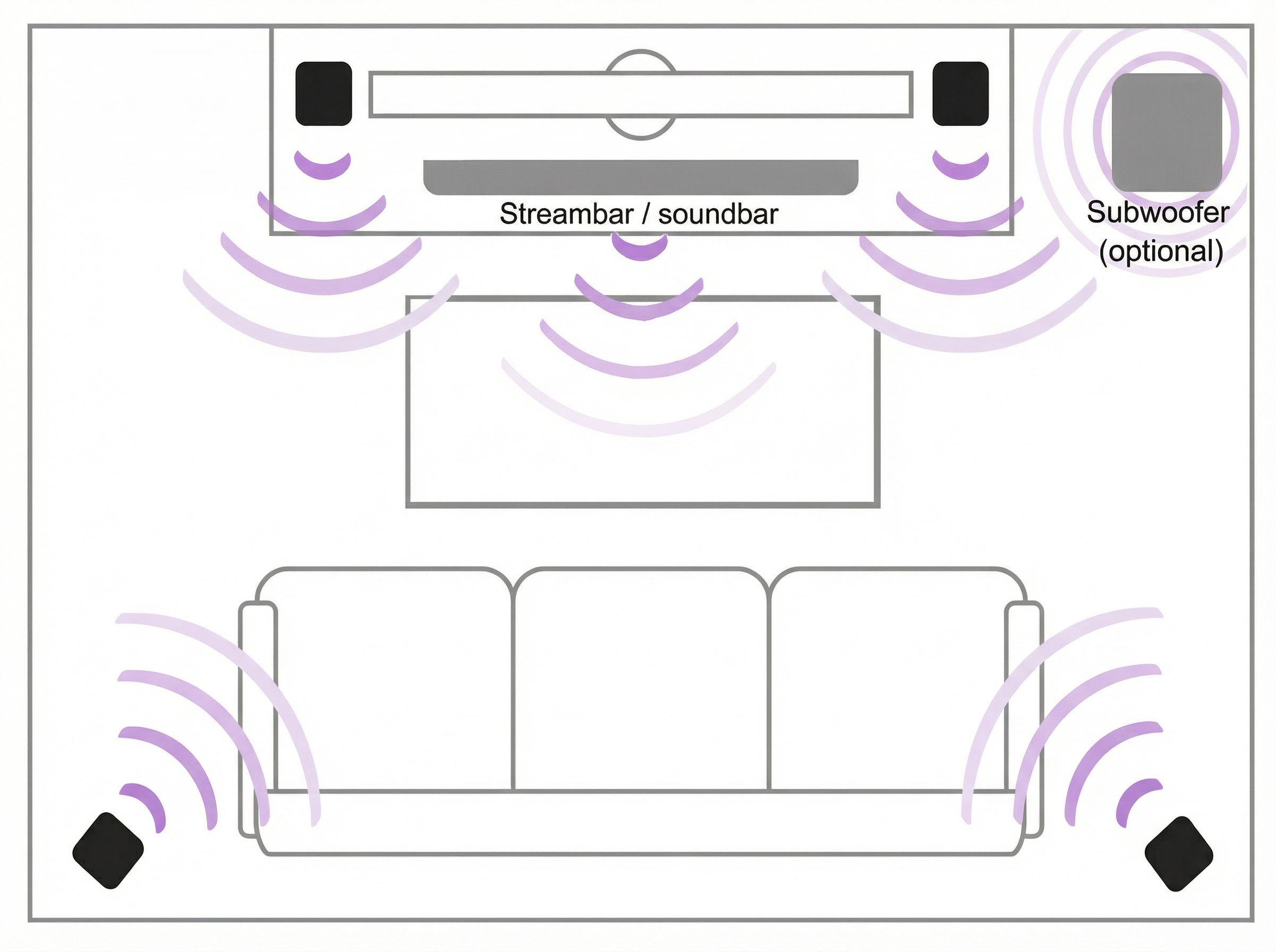
This placement provides a wider sound stage, better separation between channels, and sound moving around your room for a life-like environment.
- Measure the listening position: For ideal separation, the distance from your listening position to each speaker should closely match the distance between your Streambar or Smart Soundbar and listening position. This helps you to hear sounds from all speakers at the same level regardless of the overall volume.
- Experiment: Watch a few action scenes from a movie or TV show and listen for sound moving between all speakers. Move each speaker closer or farther away from where you sit until sounds are distinctly moving between each speaker creating the illusion of movement. Continue experimenting with various speaker locations until you like how it sounds.
Alternate locations
While the guidelines in this article are intended to help you optimize the audio performance when your Roku wireless speakers are used in traditional stereo and surround configurations, you may wish to use your wireless speakers in another way. For example, you may want your speakers closer to where you sit, or even right next to your bed to help you hear dialogue and other sounds better. Roku wireless speakers work great in this configuration, but keep in mind that the speakers are designed to work within 30 feet of your Roku TV, Roku Streambar, Roku Streambar Pro, or Roku Smart Soundbar.
Note: Roku wireless speakers will not work as surround speakers for a non-Roku sound system.
Last updated at 6/24/2026 10:18:12 PM
Was this article helpful?
Related articles
Need more help?
