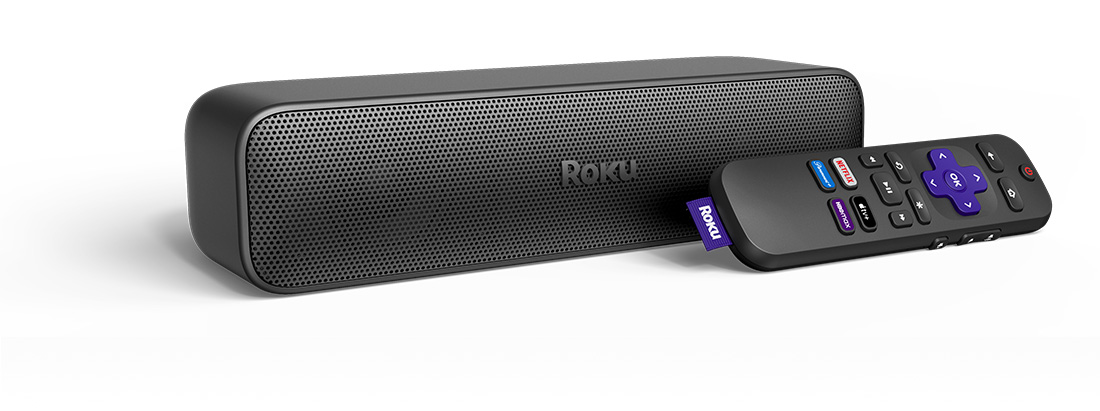
How do I get started?
To get started with your Roku Streambar SE, you can review the Roku Streambar SE Quick Start Guide or browse the list of hand-picked articles to learn about a variety of related topics including troubleshooting technical issues, streaming your favorite content, and personalizing your Roku experience.
Set up your Roku Streambar SE
When you are ready, proceed with the simple setup process and activate your Roku Streambar SE.
Resolve setup issues
Should you run into an issue during setup of your Roku Streambar SE, you can find help in a variety of technical articles.
Setup
Network
- How to fix Wi-Fi® connection issues
- Tips for improving the wireless connection
- How to USB to connect to a wired network
Picture and sound
- How to fix no picture or video issues
- How to fix “HDCP Error Detected”
- Why is HDCP 2.2 important to playing 4K Ultra HD or HDR content?
- How to switch audio sources on your Streambar SE
- How to fix playback issues
- How to fix audio/video sync issues
Remote control
Common questions
Check out some of the common questions people ask when setting up a Roku device.
Watch your favorite content
After your Roku Streambar SE is set up and linked to your Roku account, it is time to start streaming the latest blockbuster movies, popular TV shows, and more.
Learn about Roku features
The Roku OS offers a number of great features to help you get the most from your Roku Streambar SE and enjoy your streaming experience to the fullest.
Adjust sound settings
Tailor the sound to match your room by fine-tuning the listening experience on your Roku Streambar SE.
Personalize your experience
Once you are comfortable using your Roku Streambar SE to watch and listen to your favorite content, you can create a personalized Roku experience just for you.
Connect with Bluetooth®
Connect a Bluetooth-enabled device and you can listen to music, podcasts and other audio from your smartphone, tablet, or computer on your Roku Streambar SE.
Get the Roku mobile app
A great companion for your Roku experience is the free Roku mobile app for iOS® and Android™. You can use it to search and control your Roku device with your voice, connect headphones for Headphone Mode, share personal photos and video on your TV screen, watch The Roku Channel on the go, and much more.
- How to install the Roku mobile app
- How to control your player using the Roku mobile app
- How to use your voice with the Roku mobile app to search and control your player
- How to use headphones on your mobile device for Headphone Mode
- How to display photos, videos, and songs on your TV
Last updated at 6/5/2026 8:20:01 PM
Was this article helpful?
Related articles
Need more help?
