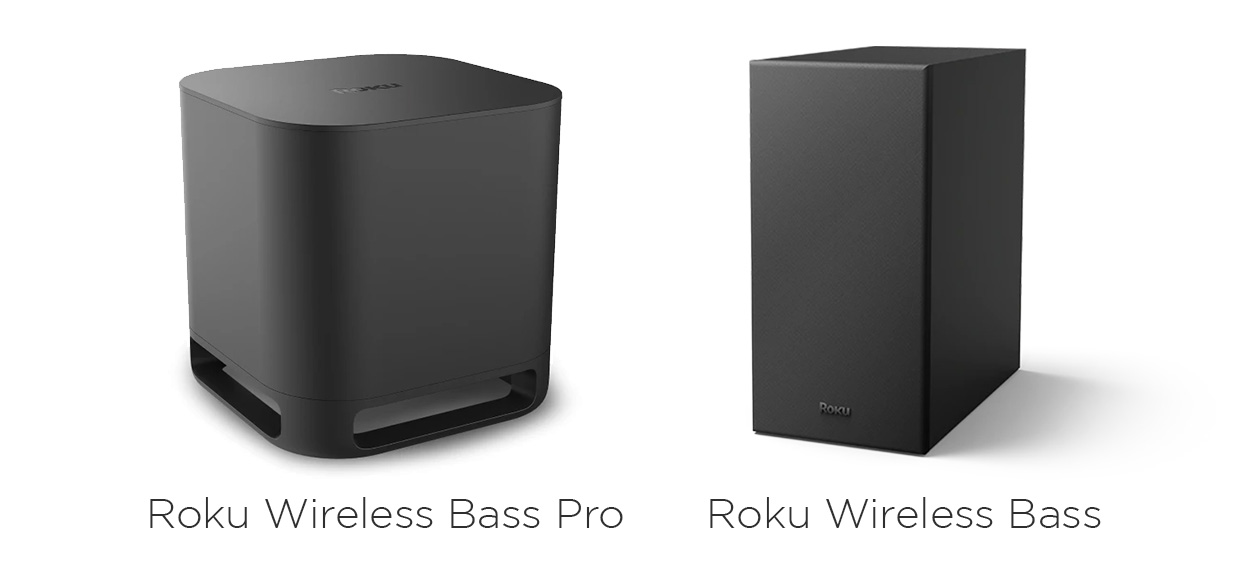
Your Roku® subwoofer enhances your listening experience with deeper, richer bass, letting you enjoy more realistic, full-range sound from your favorite songs, movies, TV shows, and more. Connect your subwoofer wirelessly without the unnecessary clutter of a lengthy subwoofer cable, and the simple setup process will have you hearing and feeling more bass in no time.
The subwoofer comes in two varieties – the Roku Wireless Bass and Roku Wireless Bass Pro. This article outlines the simple setup steps which are the same for both models.Can I connect a Roku subwoofer to any TV or sound system?
Your Roku subwoofer is designed to connect with a Roku audio host device such as a Roku Streambar® SE, Roku Streambar, Roku Streambar Pro, Roku Smart Soundbar, or Roku TV™ system. It cannot be connected directly to any other TV or existing sound system.

Note: You must have Roku wireless speakers or a Roku TV Wireless Soundbar set up and working with your Roku TV system for it to be a Roku host device. The subwoofer will not work with the speakers built into your Roku TV.
What you need for setup
In addition to your Roku subwoofer, you will need the following:
- Power for your subwoofer: If there is no wall outlet near the subwoofer location, you may want to use a power extension cable (not included).
- Roku audio host device: Your Roku subwoofer can be connected directly to a Roku Streambar SE, Roku Streambar, Roku Streambar Pro, or Roku Smart Soundbar, or it can be connected to a Roku TV when Roku wireless speakers or a Roku TV system Wireless Soundbar is connected.
- Internet connection: To check that your Roku host device is connected to the internet, go to Settings > Network > About and verify that Status says "Connected". If you need help getting your device on the internet, learn how to get this connection set up.
- Existing Roku remote: To get your Roku host device into pairing mode and initiate the setup process, you will need your existing Roku remote.
Quick Start Guides
If you need additional setup help, you can read one of the quick start guides below.
Where to place your subwoofer
When determining the best placement for your Roku subwoofer, keep in mind that the low frequencies generated by your subwoofer are much less directional than high frequencies, meaning it is difficult to detect where the bass comes from. This allows you to get nearly the same performance regardless of where in the room you place your subwoofer, as long as it is within 30 feet of your Roku host device.
Tip: For more guidelines, review the article about where to place your Roku subwoofer.
How to pair your subwoofer
To begin, plug the power cable into your subwoofer and a nearby wall outlet, and follow the steps below.
- Make sure your TV is powered on and the correct input is selected. If you do not see your Roku Home screen, learn how to select the correct input on your TV.
- Press and hold Home
 on your Roku remote for 5 seconds to access the pairing menu
 - Select Subwoofer
Your Roku streaming device is now in pairing mode, and you can follow along with the steps on your TV screen or continue reading this article for a detailed set of instructions.
When your Roku host device is in pairing mode, it automatically detects and pairs your subwoofer. A progress indicator lets you know when your host device is searching for, pairing with, updating, or restarting your subwoofer. After the few moments it takes to pair your subwoofer, the process will move to the step below automatically.
- A sound will play from your subwoofer
- Select Yes to confirm you hear it
- If you do not hear the sound, select No and follow the on-screen troubleshooting steps. You may need to press and hold the reset button on the back of the subwoofer for 10 seconds, and then repeat the setup process.
Your wireless subwoofer is now paired to your Roku host device and configured for excellent sound.
- Note: You can only pair one wireless subwoofer to a Roku host device.
How to fix subwoofer pairing issues
If you encounter any issues during setup, learn more about what to do to resolve issues when pairing your Roku Wireless Subwoofer.
Last updated at 6/5/2026 5:33:59 PM
Was this article helpful?
Related articles
Need more help?
