This article provides information about entry and exit delays and instructions on how to change entry and exit delay settings in the Roku® Smart Home mobile app.
What are entry and exit delays?
The entry and exit delay settings are separate for home and away mode. During an entry or exit delay, a countdown timer will display in the Roku Smart Home mobile app.
What is entry delay?
An entry delay allows time to turn your system off with your keypad or app. If the correct PIN is not entered before the entry delay ends, the alarm will be triggered. If the wrong PIN is entered 3 times within the entry delay, the alarm will be triggered.
What is exit delay?
An exit delay allows you time to leave the house and close your door before your monitoring system sensors trigger an alarm.
How to change entry and exit delay settings
You can change the entry and exit delay settings for your home monitoring system in the Roku Smart Home mobile app.
- Tap Monitoring
 from the navigation bar
 - Tap Home monitoring settings
- Tap Entry & exit delay
- Select Home or Away
- Tap Entry delay or Exit delay
- Select the time delay and tap Save

Note: If you choose 0 seconds as the delay time, you will not have a chance to cancel the delay alert and will immediately trigger an alarm when entering or exiting.
How to turn off the delay sound
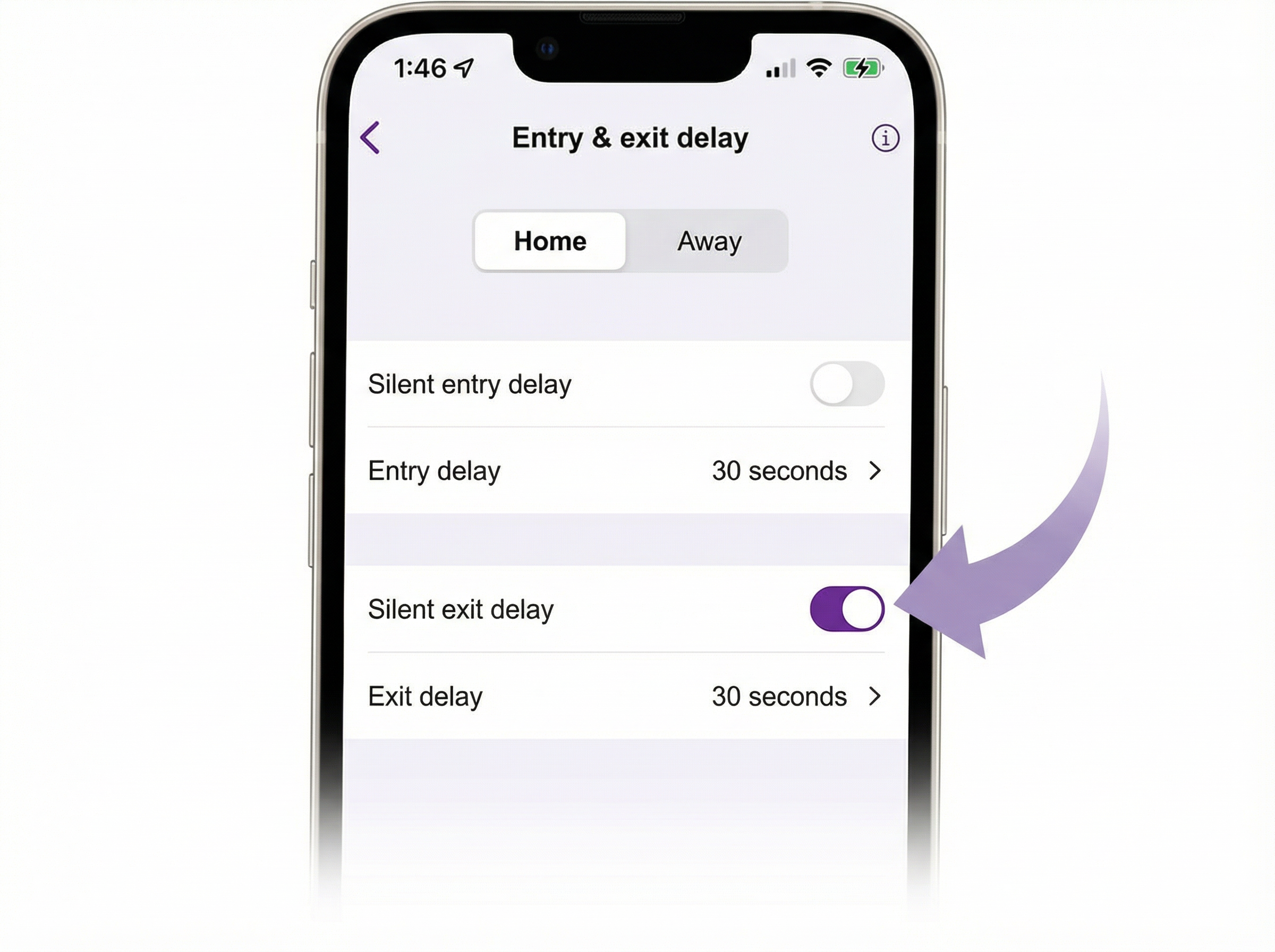
During an entry or exit delay, a sound will play for the duration of the countdown. This can be disabled with silent delay. Silent delay controls only the delay sound and does not affect the delay duration.
On the Entry & exit delay screen, tap or move the slider to turn the silent delay setting on and off. When the slider is purple, silent delay is active.
Last updated at 6/26/2026 7:42:32 PM
Was this article helpful?
Related articles
Need more help?
