The next time your phone or tablet is nowhere to be found you can still turn your Roku® smart bulbs, plugs, and light strips on and off without using the Roku Smart Home mobile app. If they are connected to a switch, you can simply turn that on and off like you always have. With a Roku smart plug or light strip, you can use a physical button on the device itself. With all devices, you can ask Amazon Alexa or Google Assistant to do it for you.
This article provides more information about each smart home light and plug and teaches you how to use your voice to control your smart home devices without the app.
Manually control your lights and plugs
Roku Smart Home lights and plugs can be powered on and off with a manual light switch or physical buttons on the devices, so you can still use your lights and plugs even if they lose internet connection.
Roku Smart Bulb SE
Like any traditional light bulb, you can control power to your Roku Smart Bulb SE Color or Roku Smart Bulb SE White by turning on and off the switch on the wall, the power cord, or the lamp itself. If your smart bulb is connected to a dimmer switch, make sure to set the dimmer to its highest level. Your smart home lights should only be dimmed using the smart home app or an Alexa or Google voice command.
Note: Rapidly switching your smart bulb on and off three times will trigger a factory reset.
Roku smart light strips
If your Roku Smart Light Strip SE or Roku Smart Light Strip+ SE is connected to a switch, you can use that to turn it on and off. You can also use the two buttons on the controller to control your light strip as described below.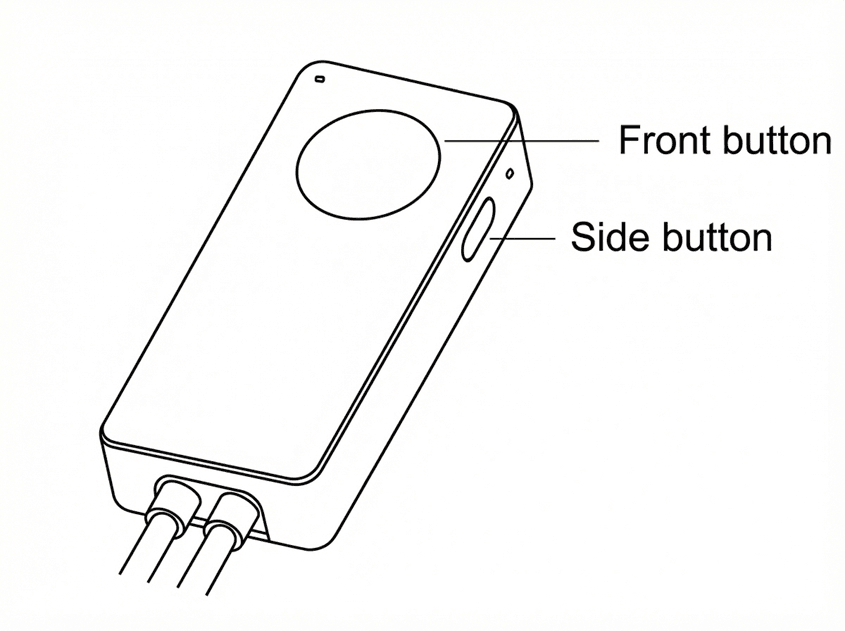
| Front Button | Side Button |
|---|---|
| Single press: Power on and change color | Single press: Power on and change modes |
| Long press: Power off | Long Press: Enter pairing mode |
Roku Indoor Smart Plug SE
If your Roku Indoor Smart Plug SE is connected to a switch, you can use that to power it on and off. You can also turn it on and off using the power button located on the side of the plug.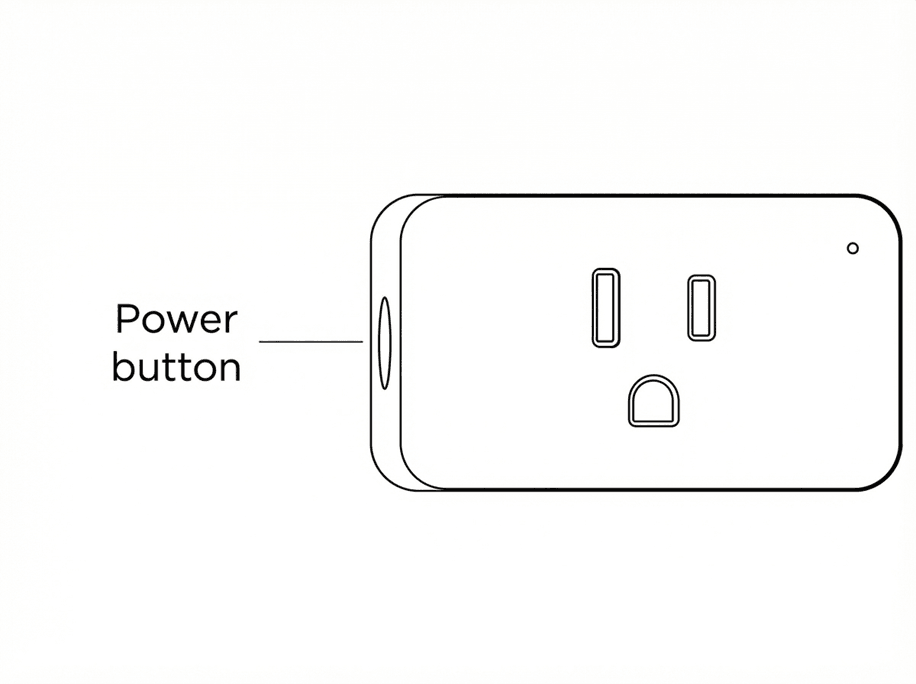
Roku Outdoor Smart Plug SE
If your Roku Outdoor Smart Plug SE is connected to a switch, your can use that to turn it on and off. You can also press one of the power buttons located on the top of the outdoor plug. Each socket can be powered on and off independently.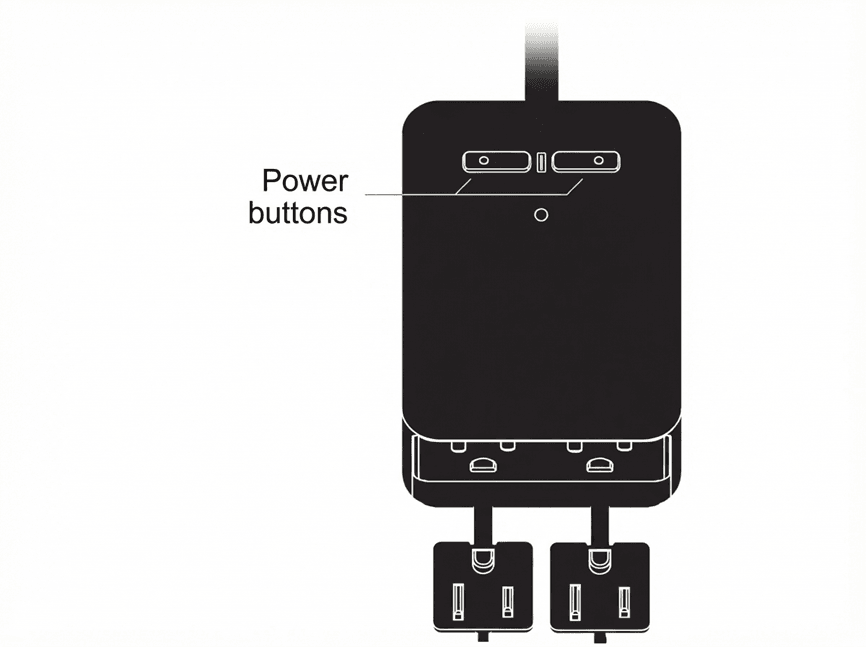
Control your lights and plugs with Roku voice
You can issue a command to your lights and plugs by pressing the voice  button on your Roku Voice Remote or on the Remote tab in the Roku mobile app. After saying a Roku voice command, a pop-up will appear on your display confirming the action.
See other articles for instructions on how to set up and use Amazon Alexa and Google Assistant.
Note: You can only use voice commands if your smart home device is powered on.
Control your lights with Roku voice
- Turn your light on or off
"Turn on bedroom light"
"Turn bedroom light off"
- Adjust brightness
"Set living room light to 50%"
"Set living room light to max brightness"
"Decrease living room brightness"
"Increase living room brightness by 20
"Brighten living room light"
"Decrease living room light by 75%"
- Set color
"Change Backyard color to blue"
- Set temperature
"Change office light temperature to Daylight / Soft white / White / Cool White"
"Make office light warmer"
- Check you light status
"Kitchen light status"
"Show kitchen light"
"Kitchen light"
Control your plugs with Roku voice
- Turn your plug on or off
"Turn on kitchen plug"
"Turn kitchen plug off"
- Check your plug status
"Garden plug status"
"Show garden plug"
"Garden plug"
Last updated at 6/26/2026 9:46:45 PM
Was this article helpful?
Related articles
Need more help?
