There are some apps in the Streaming Store that are only available to customers with a cable or satellite subscription, these are known as authenticated apps.
TV Everywhere apps are published by the cable/TV network and offer cable and satellite subscribers access to additional content on their Roku® streaming player or Roku TV™ as part of their subscription. For example, if you subscribe to ESPN through your cable provider, then you can access additional ESPN content by downloading the ESPN app from the Streaming Store.
How do I find apps that work with my cable or satellite subscription?
Some streaming apps—often called TV Everywhere or authenticated apps—unlock extra content if you subscribe to that channel through your TV provider.
On your Roku device:
- Go to Home > Apps.
- Look for a category like TV Everywhere or search for the name of a channel (for example: Spectrum, ESPN, NBC).
- When you select an app, check the details. If it says “Cable or Satellite required,” that means you’ll need your TV subscription to access full content.
On a computer or phone:
- Go to the Roku Channel Store website.
- Browse the “Watch with Cable” section or look through categories.
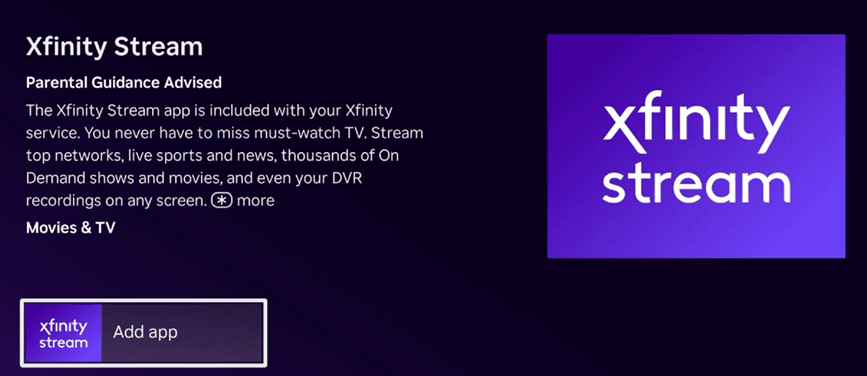
- Click Add App
How do I sign in so the app knows I’m a subscriber?
After you install the app, open it. It will ask you to sign in or “authenticate" using the email and password you use for your cable or satellite account subscription.
There are two common sign-in methods:
1. Sign in directly on your Roku device
Some apps let you type your cable or satellite account username and password using the on-screen keyboard.
2. Sign in with a link code
Other apps show a short code and a website, or a QR code.
- Keep the code on your TV screen.
- On your phone or computer, open a browser and go to the website listed, or scan the QR code shown with your mobile device.
- Enter the code on your TV.
- Choose your cable or satellite provider.
- Sign in with your provider username and password.
- The app should update and unlock the content.

Note: You must use the login you created with your cable/satellite provider. If you never made one, or forgot your password, contact your service provider.
Why do some apps sign me in automatically?
Some providers and apps support Single Sign On (SSO). If you sign in once to one app, others may automatically log you in.
Not all providers support this. Some major ones that often don’t support SSO include:
- Spectrum (Bright House, Time Warner Cable, Charter)
- Comcast Xfinity
- Altice (Optimum, Suddenlink, CableVision)
- Verizon
- Frontier
What apps support Single Sign On?
Here are some common ones:
|
|
Why can’t I watch everything in the app?
Each network decides what shows and episodes they make available through their app. Sometimes only recent episodes are included. Sometimes older seasons aren’t licensed for streaming. In other cases, your TV package might not include that specific channel or channel tier.
If you see messages like “You are not authorized” or “This channel is not included in your plan,” it usually means:
- Your TV package doesn’t include that channel, or
- Your provider hasn’t verified your subscription for that content. Contact them for help.
What if the app won’t sign in or keeps logging me out?
- Try checking these things:
- Are you choosing the correct TV provider from the list?
- Does your TV package include the channel you’re trying to watch?
- Did your provider recently change your plan?
- Are you using the correct username and password?
- Is your internet connection stable?
If everything seems correct, but it still doesn’t work, contact the service provider.
Does watching through these apps use mobile data?
If you’re watching on a phone or tablet using mobile data, then yes, streaming will count against your data plan.
Last updated at 6/23/2026 11:25:18 PM
Was this article helpful?
Related articles
Need more help?
