Your Roku® Home Monitoring System SE can send notifications to your smartphone or tablet with important messages about the status of your home. These notifications can let you know if an alarm is triggered or a sensor is left open. You can choose which sensors are active in different home monitoring modes and create a monitoring schedule with home monitoring rules to automatically changes modes.
This article provides information about home monitoring notifications and instructions on changing notification settings in the Roku Smart Home mobile app.
What are the different types of notifications?
There are two types of home monitoring notifications.
- Security notifications. If a sensor detects activity, you will receive security related notifications.
- Technical notifications. If a sensor has low battery or any other technical issue, you will receive a notification with tips to keep the sensor working properly.
What is the difference between an alert and an alarm?
An alert is a notification of an event that could potentially escalate to an alarm.
- Example: You come back home, open the door, and walk in front of the keypad while the system is in Away mode. Your keypad will beep to request the PIN. This is an alert.
An alarm is an event captured by your entry or motion that is detected as an intrusion.

Note: If an entry or exit delay is 0 seconds, an alarm will be triggered immediately.
What is the difference between a Critical Alert and a push notification?
A Critical Alert is an advanced notification feature on iOS® devices for important messages. Critical Alerts ignore your mute and Do Not Disturb settings, and will always send an alert sound when received. Critical Alerts will only be sent when an alarm is triggered on your home monitoring system. Normal push notifications are available on both Android™ and iOS devices.
How to change notification settings
Changing your notification settings will not affect your alarms. Your sensors will detect intrusions and an alarm can be triggered even if you turn off notifications.
How to change sensor notifications
Use the following instructions to change your sensor notification settings in the mobile app.
- Tap Account
 from the navigation bar
 - Tap Notifications
- Tap Push notifications
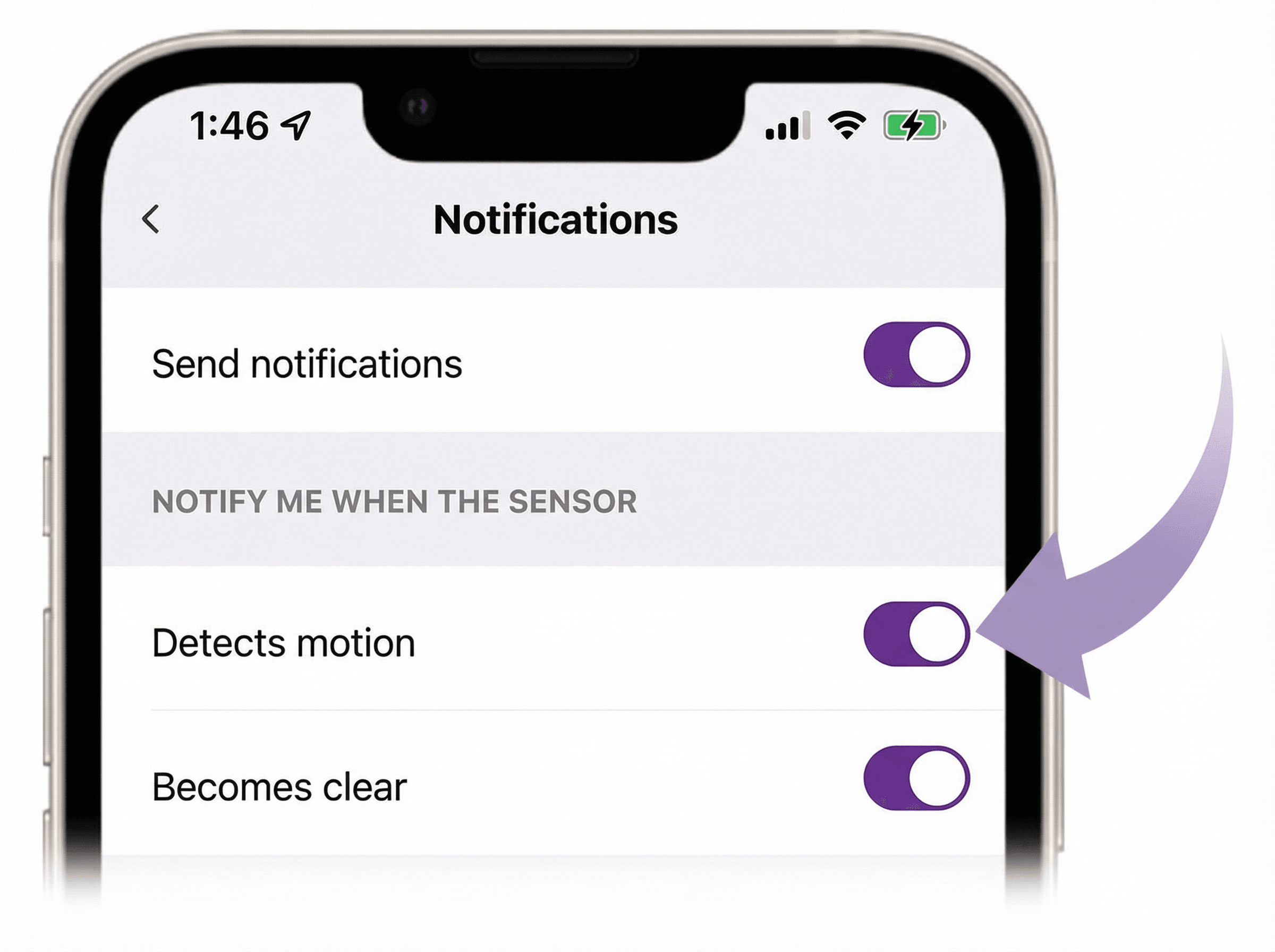
- Tap or move the slider to toggle push notifications on and off
When the slider is purple, the notification is active.
If you want to change the notification settings for an specific sensor, select the sensor on the Push notifications screen and toggle the individual notification settings.
How to change alarm response notifications
Use the following instructions to change your alarm response notification settings in the mobile app.
- Tap Monitoring
 from the navigation bar
 - Tap Home monitoring settings
- Tap Home & Away
- Tap Alarm response
- Choose your notification setting
Learn more about what to do during an alarm.
How to enable Critical Alerts
You are prompted to allow permissions for Critical Alerts during the initial set up of your Roku Home Monitoring System. If you are not getting Critical Alerts, use the steps above to check your alarm response notification settings and refer to the Apple support website for assistance checking your iOS device's permissions and settings.
Last updated at 6/26/2026 7:48:47 PM
Was this article helpful?
Related articles
Need more help?
