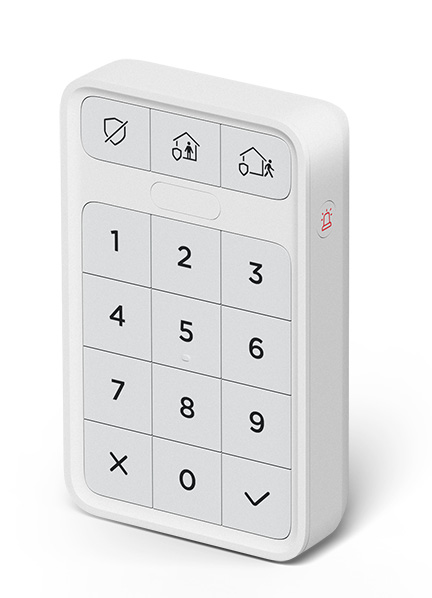
An alarm can be triggered with the panic button on your Roku® Home Monitoring System SE keypad or with the one-tap emergency assistance button in the Roku Smart Home mobile app, if you have a Pro Monitoring subscription powered by Noonlight.
This article provides instructions on how to activate an alarm. Learn how to cancel an alarm and what to do during an alarm in another article.
How to activate an alarm
You can activate an alarm in any home monitoring mode, even if your system is off.
How to activate an alarm on the keypad
The panic button is located on the right side of the keypad. To activate an alarm press and hold the panic button for three seconds.
When the alarm is activated, the following will happen:
- The 88dB siren on the monitoring hub will play an alarm sound.
- You will receive a notification from the smart home mobile app.
- If you have a professional monitoring subscription a US-based agent will contact you to confirm the alarm and send emergency services if needed.

Tip: The siren duration can be changed on the Monitoring Tab in the following menu: Home Monitoring settings > Home & Away > Alarm response > Max duration.
How to activate an alarm in the app
If you have a professional monitoring subscription, you can tap the one-tap emergency assistance  icon on the Monitoring tab in the Roku Smart Home mobile app to trigger a silent alarm.
If you do not have a professional monitoring subscription, you will receive the following message: Silent alarm not available. Professional monitoring service is required.
Last updated at 6/26/2026 7:59:00 PM
Was this article helpful?
Related articles
Need more help?
