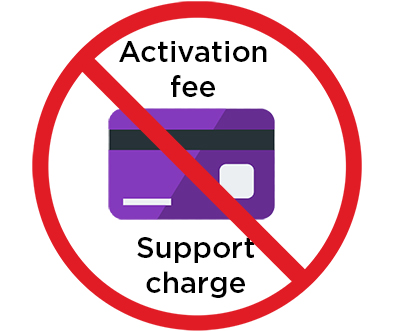
Roku® doesn’t charge for activation or support. Watch out for scams. Some scammers pretend to be from Roku to trick people into paying for things that are free, such as device activation, account setup, or technical support. These scams are common, but with the right information, you can avoid falling for them.
How scammers try to trick you
Scammers often create fake websites that look like real Roku pages. They might use Roku logos, fake articles, or pop-ups to ask for your personal information. These sites may ask for your phone number or email, while others give you a fake support phone number to call. If you call, they may sound helpful or pushy, but their goal is to steal your personal information or money.
How fake Roku sites appear in searches
Many people find scam websites by searching for help online using phrases like “roku activation” or “roku link.” These fake sites may even show up at the top of search results because scammers pay for ads. Always double-check the website address. Real Roku sites always end in roku.com, for example:If a website ends in anything else, even something slightly different, it’s not official and you should avoid it.
Common Roku scams to watch out for
- Fees to activate your device: Roku has never charged money to activate a device. If a site says your code failed and asks for payment, it’s a scam.
- Guest Mode scam: If you did not turn on Guest Mode, or are being directed to a suspicious or unrecognized website, do not make any calls or payments. Reset your password right away by going to to my.roku.com. Navigate to Account info > Change password. Follow the instructions in this article to turn Guest Mode off.
- Charging for Roku accounts: Creating a Roku account is 100% free. If someone tries to charge you for this, hang up.
- Help with setup for a fee: Roku offers free setup help online with videos, guides, and customer support agents. You don’t need to pay anyone.
- Support subscriptions: Some scammers sell monthly or yearly “tech support” plans, but they’re fake and will disappear after you pay.
- Activating a Roku device using their account: A scammer might try to activate your Roku player or TV using their account. Then they can lock your device and demand money to “unlock” it.
- Taking control of your computer: Never let anyone connect to your computer or install software. Scammers use this trick to steal your data or install harmful programs.
- Selling lifetime channel access: Roku does not sell lifetime subscriptions for TV or channels. If someone offers this, it’s not real.
Tips to stay safe
- Only visit websites that end in roku.com when looking for help or setting up your Roku player or TV.
- Roku support will never ask for your Social Security number, passwords, or to install software on your computer.
- Don’t let anyone take control of your computer while offering “support.”
- If your Roku device was activated with an email you don’t recognize, go to Settings > System > About to check. If the email address isn’t yours, perform a factory reset and set it up again using your own Roku account.
If you gave info or money to a scammer
If you think you may have been scammed, here’s what to do:
- Check your bank or credit card for charges you don’t recognize.
- Contact your bank or credit card company to stop or reverse the payments.
- Remove any software the scammer installed on your computer.
- Change your Roku account and email passwords right away.
- Report the scam to the Federal Trade Commission (FTC) at ftc.gov/complaint.
Need Help?
If you visited a fake Roku site or think you’ve been scammed, you can report your experience to us and ask for real help from Roku’s official support team on support.roku.com by clicking Start Chatting.
Last updated at 4/29/2026 2:22:21 PM
Was this article helpful?
Related articles
Need more help?
