How to set up your Roku Smart Bulb SE
Roku Smart Bulbs give you bright, adjustable light. The color model gives you up to 16 million color options to light any room. You can control up to 25 bulbs, set schedules, and create routines using the Roku Smart Home app.
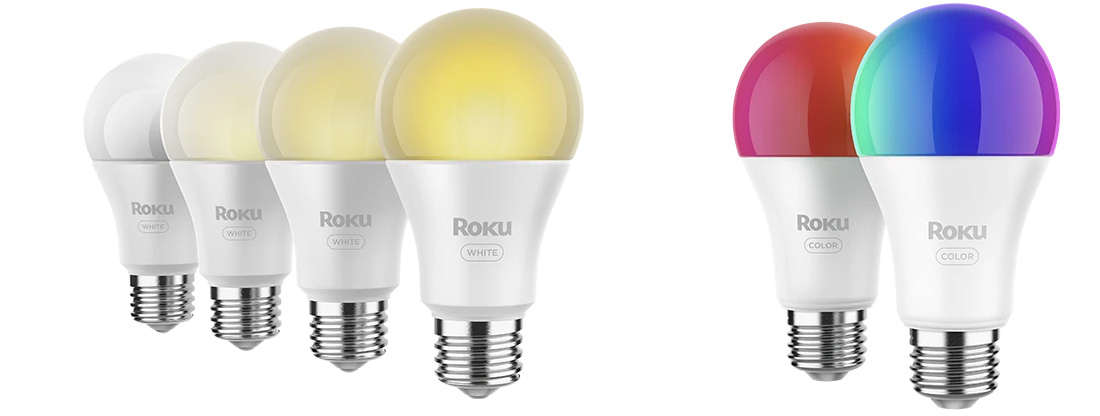
What You Need
- Socket: Roku Smart Bulbs are size A19 with an E26 base, for use in a 120V socket.
- Wi-Fi: 2.4GHz network with WPA/WPA2 security.
- Phone or tablet: iOS or Android.
Before You Start
- Do NOT use bulbs:
- With dimmer switches
- In wet areas
- In tight or poorly ventilated fixtures
- As emergency lighting
Download the Roku Smart Home app and sign in
- Download the Roku Smart Home app on your phone to control your Roku smart home devices like cameras, doorbells, plugs, bulbs, and light strips.
- Sign in or create a Roku account. If you need help, learn how to create an account.


Install your Smart Bulb
- Turn off the light switch.
- Screw the bulb into an E26 socket (120V).
- Turn on the switch. The bulb should start pulsing.
- In the Roku Smart Home app, tap the + icon and choose Add device.
- Select Lights & Power, then Smart Bulb - White or Smart Bulb - Color.
- If your bulb is pulsing, tap Next. If not, turn it off and on 3 times to enter pairing mode.
- Choose your Wi-Fi network and enter the password. If you can't connect, learn how to troubleshoot Smart Home Wi-Fi issues.
- Name your bulb and tap Finish.
Where to use your bulbs
- In lamps with sunlight match to wake up gently
- As vacation lights that turn on/off randomly
- To set the mood for movie night, parties, or game night
Control and features
- Smart bulbs can be turned on or off from anywhere using the Roku Smart Home app.
- Schedules and routines can be set to automate lighting times.
- Multiple bulbs can be grouped and organized for easier control.
Customize your lights
You can easily change the color, brightness, and temperature of your bulb. This helps you match your lighting to what you're doing, like switching to cool light for focus or warm light to relax.
- Color: Choose from 16 million colors, including white.
- Brightness: Adjust from a soft 30 lumens up to 1100 lumens (800 lumens max for white bulbs).
- Temperature:
- Color models: 1800K (warm) to 6500K (cool)
- White models: 2700K to 6500K
How to adjust lighting settings
- Open the Roku Smart Home app.
- Tap Home, then select a bulb or group.
- Use the sliders or color wheel to change brightness, temperature, or color.
To save your favorite look, create a scene in the app for quick access later.
Troubleshooting
Bulb not pulsing?
Turn it off and on three times to enter pairing mode.
Not finding your Wi-Fi network?
Make sure you are near your wireless router. Try restarting your router, then attempt the pairing process again.
App not pairing with bulb?
Make sure your phone has Bluetooth turned on. Restart the Roku Smart Home app and try again.
Need help?
Unscrew your bulb and find the MAC address on your bulb's label. It's a 12-digit code you may need when contacting Roku Customer Support.
Last updated at 2/26/2026 6:32:08 PM
Was this article helpful?
Related articles
Need more help?

Chat with us
Get help from our support bot or connect to an advisor.