How to set up your Roku Indoor Camera (Latest model SCS11X)
Your Roku® Indoor Camera (model SCS11X) delivers a Full HD image with great features like motion and sound detection, color night vision (supported on some models), instant notifications, simultaneous two-way audio, and an intruder siren. Plus, if you purchase a Roku Smart Home Subscription, you also get secure cloud storage, intelligent person, pet, and object detection, and instant recordings when motion and sound is detected.
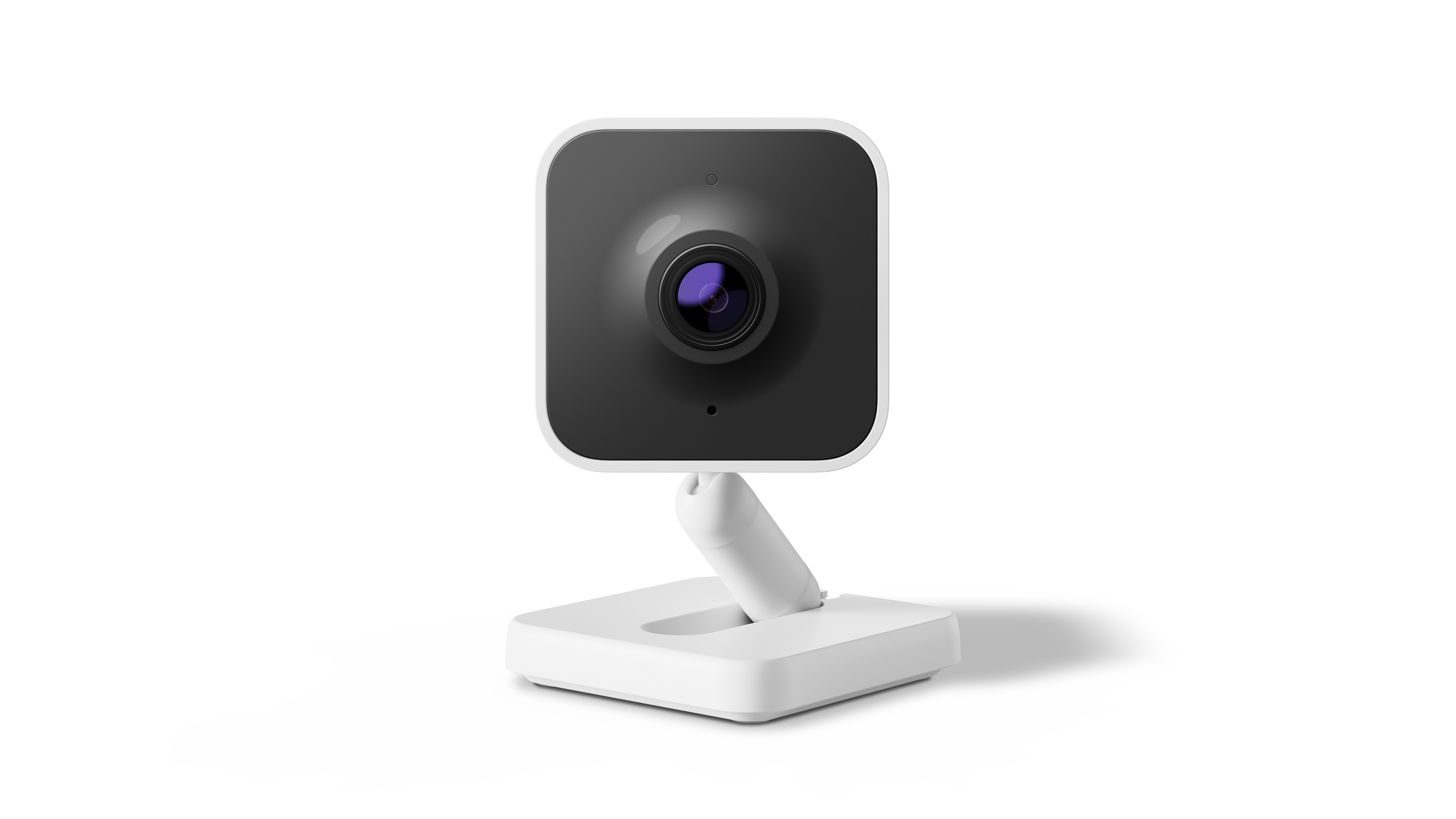
The package includes:
- The camera
- USB power cable
- Power adapter
- Mounting hardware
To use it, install the Roku Smart Home app and follow it to connect the camera to your Wi-Fi network. Then you can view live video, receive alerts, and adjust the settings.
Quick Start Guide
 Roku Indoor Camera SE (model SCS11X)
What you’ll need before setup
- Power source
- A nearby wall outlet
- You can also use a USB port that provides 5 V / 1 A
- If no outlet is nearby, you may use a power extension cable (not included)
- Wi-Fi network
- The camera supports WPA/WPA2 networks
- Smartphone or tablet
- Download and install the Roku Smart Home app (iOS or Android)
- Your phone/tablet should use the same Wi-Fi network during setup
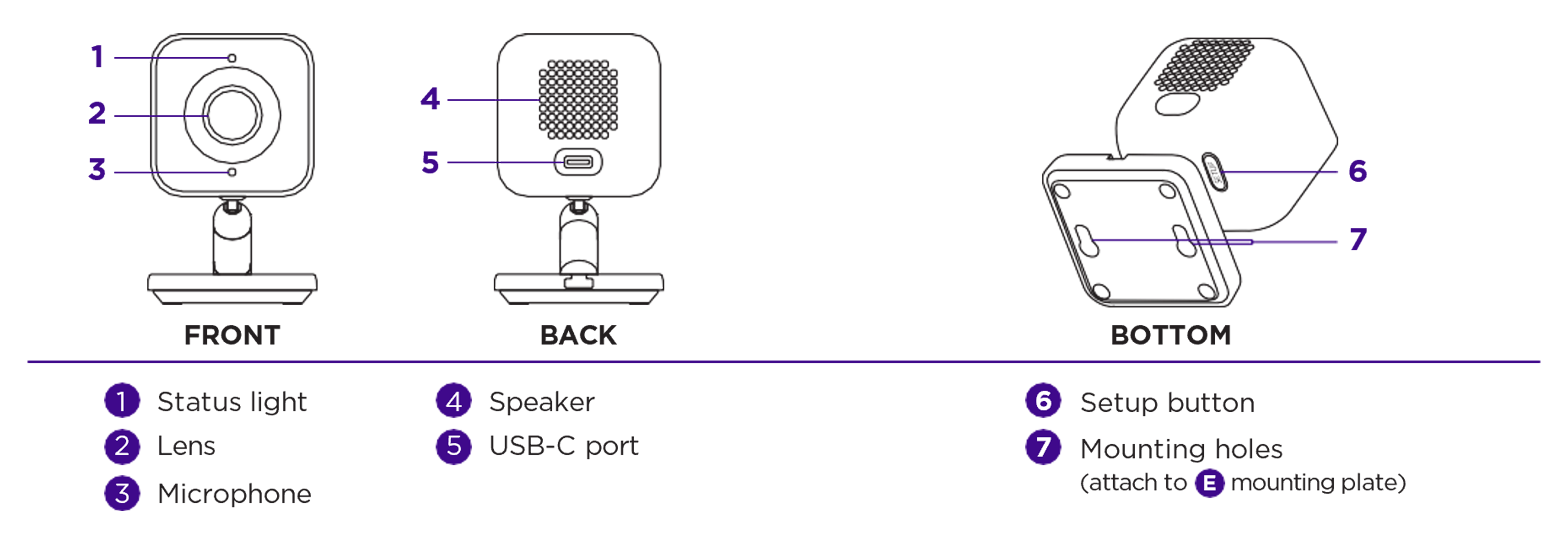
- Camera details
- Locate the setup button (you may need to gently pull the base away from the camera to access it).
Setup steps
- Power on the camera
- Connect the USB-C cable to the camera
- Attach the other end to the power adapter or a USB source
- Install the Roku Smart Home app
- Download it from the App Store or Google Play
- Sign in or create a Roku account
- Add the camera in the app
- Make sure Bluetooth is enabled on your phone
- Tap the “+” to add a device
- Select Cameras & doorbells > Indoor wired camera
- Select Stand has one leg
- Activate setup mode on the camera
- If the status light is pulsing blue, continue
- If not, press and hold the setup button 10 seconds until you hear “ready to connect”
- Connect camera to Wi-Fi
- In the app, select your Wi-Fi network (use 2.4 GHz)
- Enter your password and tap Next
- For help, learn more about troubleshooting connection issues
- Scan QR code
- Hold the camera 5 inches from the QR code
- Wait until you hear “QR code scanned, please wait”
- Finish setup
- Once setup finishes, the status light should be solid blue
- Name your camera and Save
- Review premium features available through a Roku Smart Home Subscription and set notification preferences.
- Update firmware and test
- The camera may update automatically; do not unplug
- After the update, view live feed to confirm functionality
Where to install your camera
- Mount on a wall, ceiling, shelf, or place on a flat surface. Learn how to mount your camera.
- Choose a location with an unobstructed view and strong Wi-Fi signal
- Stay near a power source or USB port
- If mounted upside down (e.g., ceiling), you can rotate the image later in the app: Settings > Advanced settings > Rotate image 180°
What does the status light mean?
It is important to understand what the status light means as you power on your camera and continue with the setup process.
During setup (2nd Gen) | Status |
|---|---|
BLUE - Pulsing | Ready to Connect |
YELLOW - Slow Blinking | Booting Up / Updating Firmware |
WHITE - Fast Blinking | Connecting to Network |
RED - Blink three times | Error |
FAQs
Why won’t the camera power on?
Check the power cable and source, and try unplugging for 10 seconds before plugging back in.
Can I use a 5 GHz Wi-Fi network?
No, using a 2.4 GHz network is required during setup.
Why won’t the QR code scan?
Remove any protective film on your phone, ensure the QR is fully visible, and hold the camera about 5 inches away steadily. Raise the brightness on your phone’s screen and try scanning in different lighting. See tips on scanning the QR code if you get stuck.
How can I capture video from motion alerts?
Advanced video recording and alerts require an active Roku Smart Home subscription.
Why are alerts missing or the camera freezes?
Check for firmware/app updates, verify Wi-Fi stability, and confirm your subscription status. If you need help, contact Roku support and have your camera’s MAC address ready.
Related articles
Last updated at 2/25/2026 9:51:17 PM
Was this article helpful?
Related articles
Need more help?
