Getting to know your Roku Smart Plug SE
When you are ready, download the Roku® Smart Home mobile app.

To learn more about your Roku Smart Home device before you begin, take a moment to review the helpful resources in this article.
Which Roku smart plug do I have?
Roku offers two models of smart plugs:
- Roku Indoor Smart Plug SE (model PS1000)
- Roku Outdoor Smart Plug SE (model PW1000)
You can find information specific to each model in the sections that follow. Beyond that, you can view details about features common to both models along with troubleshooting topics.
Indoor Smart Plug SE
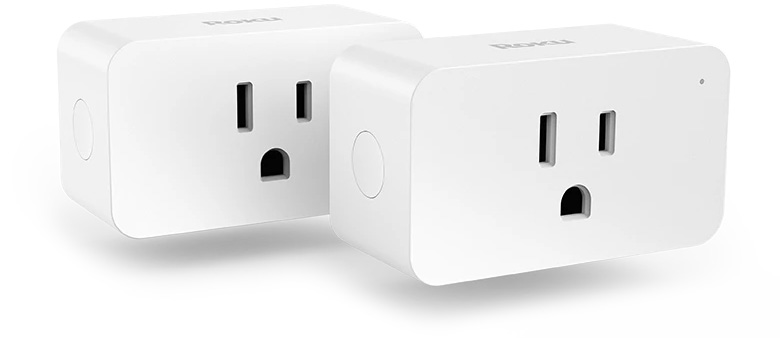
With simple setup, your Roku Indoor Smart Plug SE lets you turn your electrical devices on and off from anywhere and has smart sync that lets you group multiple smart plugs to control the power for everything in a room at once. Your indoor smart plug connects to any typical wall outlet in your home outputting 120V/15A.
For guided assistance, you can find detailed instructions in the setup article or an overview in the Quick Start Guide, or you can follow along with the tutorial video.
After you are finished with setup, jump to the features section of this article to find out how easy it is to control power for your indoor devices. If you run into any issues along the way, check out the troubleshooting topics for more help.
Outdoor Smart Plug SE
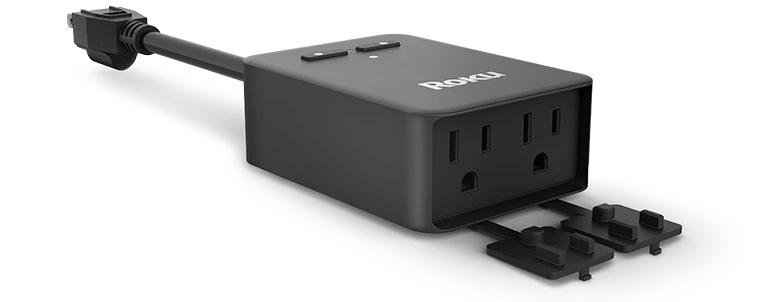
Your Roku Outdoor Smart Plug SE connects to Wi-Fi® up to 300 feet away letting you turn on and off your outdoor devices from anywhere and track their energy usage. It even has a built-in light sensor to turn your smart plug off and on with the rising and setting of the sun. Connect your smart plug to a GFCI power outlet for it to safely output up to 120V/15A.
For guided assistance, you can find detailed instructions in the setup article or an overview in the Quick Start Guide, or you can follow along with the tutorial video.
After you are finished with setup, jump to the features section of this article to find out how easy it is to control power for your outdoor devices. If you run into any issues along the way, check out the troubleshooting topics for more help.
Features of your smart plug
Now that your smart plug is set up, check out all the great features included with your Roku smart plug.
- Vacation mode: Set your plug to turn on and off randomly so it looks like your home when traveling. Learn more about how to use vacation mode.
- Automation: There are four types of rules to help you automate your smart home experience.
- Shortcuts: Control a specific action, like turning off your plug, with the tap of a single icon on the smart home app Home screen.
- Schedules: Set up specific times to have your plug turn on and off.
- Device triggers: Connect multiple Roku Smart Home devices, such as a floodlight camera and smart plug, and have one device trigger the other.
- Location triggers: Set up an action to happen when you enter or exit a location.
Troubleshooting your smart plug
For additional help solving an issue with your Roku smart plug, refer to the detailed articles below:
Last updated at 2/26/2026 6:42:41 PM
Was this article helpful?
Related articles
Need more help?

Chat with us
Get help from our support bot or connect to an advisor.