Do I need a special TV?
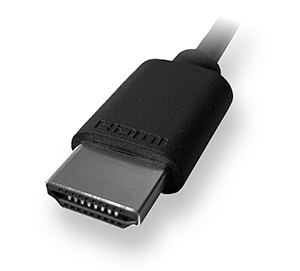
Aside from a Streaming Stick, when connecting a Roku streaming player to your TV using an HDMI connection, we recommend you use a High Speed HDMI Cable if your TV only supports 720p and 1080p, or a Premium High Speed HDMI Cable if your TV also supports 4K UHD and/or HDR.
A Roku Streaming Stick connects directly to the HDMI port on your TV and does not need an HDMI cable.
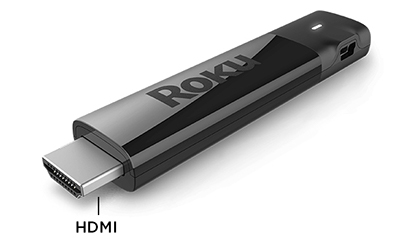
Note: A Roku Streaming Stick can be powered by connecting to the USB port on select TVs. For further details review the setup instructions below.
Questions about 4K Ultra HD and HDR
- Do I need a 4K UHD or HDR-compatible TV if I buy a Roku player that supports 4K UHD or HDR?
All 4K UHD Roku streaming players will work with any television with an HDMI connection. However, you will not be able to take advantage of 4K UHD resolution without a compatible 4K UHD TV, or HDR without a compatible HDR TV. You will also need a Premium High Speed HDMI Cable unless you are connecting a Roku Streaming Stick+. - Do I need a 4K UH or HDR-compatible Roku player if I have a 4K UHD or HDR-compatible television?
All Roku streaming players will work for any television with an HDMI connection, so any Roku player can be connected to a 4K UHD or HDR-compatible television. However, to stream movies and TV shows in 4K UHD or HDR you will need a compatible Roku streaming player and television that supports 4K UHD or HDR. You will also need a Premium High Speed HDMI Cable unless you are connecting a Streaming Stick+. - Do I need to do anything special to configure a HDR compatible television for HDR?
You may need to update the software on your TV. You can typically find instructions how to do this along with the latest software on the TV manufacturer’s website. Once you confirm that your TV is running the latest software, check that it is properly configured to enable HDR on the specific input to which your Roku player gets connected. Some TVs that support HDR do not enable this feature by default.
Learn more about setting up your Roku streaming player for 4K Ultra HD or setting up your Roku player for HDR.
What is a Roku Streambar?
A Roku Streambar connects directly to your TV, letting you stream movies and TV shows over the internet with exceptional, big-picture sound. You can also enjoy the same amazing sound from your TV's built-in tuner and any device connected to your TV, such as a Blu-ray™ player, game console, or cable set-top box. Just attach the included Premium High Speed HDMI Cable, connect your Roku Streambar to the internet, and complete the easy setup process. You will be listening to powerful sound from all your entertainment sources in no time.
For more information, read the detailed article about the Roku Streambar.
Last updated at 3/3/2026 1:23:19 AM
Was this article helpful?
Related articles
Need more help?
