How do I change the theme to adjust the look of the Roku® interface?
From the color and styles of the menus to the images that appear in the background, a theme defines the overall look of the Roku interface. Changing the theme is one of the ways you can personalize your Roku experience. Several themes are included with your Roku® streaming device, while others may be downloaded from the Roku Channel Store.
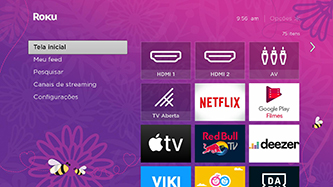
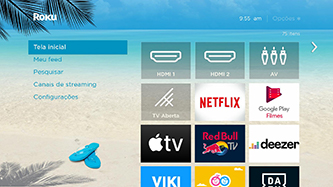
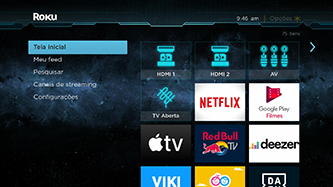
How do I browse new themes or change the current theme?
You can browse and change themes from the Settings menu using the steps below.
- Press the Home button
 on your Roku remote.
 - Scroll up or down and select Settings.
- Select Theme.
- Select Change theme to browse My Themes and All Themes. If a check mark appears next to a theme, it is already installed on your Roku device.
Tip: When browsing lists or tile grids, press the Reverse scan button or Forward scan button
  on your Roku remote to jump up or down one page at a time.
 - Highlight a theme and press the OK button
 on your remote to open the description and details.
 - If the theme is installed, you can select Set as theme to switch to that theme.
- If the theme is not installed, you can see a preview by selecting View screenshots.
- To install a new theme, select Add channel.
Note: If you have a Roku account PIN, you will be required to enter it. If you do not have a PIN and wish to keep other members of your household from adding themes, learn how to create a PIN for your Roku account. - After the new theme is downloaded and installed, you can select Set as theme to switch to that theme.
Seasonal and featured themes
On various occasions throughout the year, Roku releases seasonal or featured themes that only appear for a short period of time; e.g. 3 days. Your Roku device will automatically display a seasonal or featured theme and automatically switch back after it expires.
You can disable seasonal and featured themes using the following instructions.
- Open the Themes menu using steps 1-3 above
- Select Custom settings
- Deselect the box next to Enable featured themes.
Are there other ways to personalize the Roku interface?
In addition to changing the theme, you can further personalize your Roku device by:
Last updated at 2/19/2026 7:35:42 PM
Was this article helpful?
Related articles
Need more help?
