Freely lets you watch live and on demand programmes and movies from broadcasters like BBC, ITV, and Channel 4. Check out the Live Guide to watch your favorite live TV and stream on-demand movies and shows.
Freely requirements
- Eligible Roku TV: Freely is only available on certain supported Roku TVs.
- Internet connection: Your TV must be connected to the Internet.
- Roku account: Your TV must be activated and linked to a free Roku account, which you can accomplish by setting up your Roku TV.
- Aerial (optional): You can connect the coaxial cable from your aerial to your Roku TV, and then complete the digital channel scan during setup of the Live TV input.
Setup
You have the option to use Freely when you first set up your Roku TV. If you skipped that step, navigate to the App Store and search for Freely.
How do I use Freely to watch shows and movies?
- Press the Freely button on your remote to discover live programming. You can also select the Freely tile to browse shows and movies, or the Live TV tile to view the Live Guide. You can also select what you want to watch in the On Now section of the Home Screen. To view the live TV schedule, press the GUIDE button on your Roku remote. When you are watching live "over-the-air" content on the Live TV input, you can access this electronic program guide.
- Here you will see a list of live channels available in your region
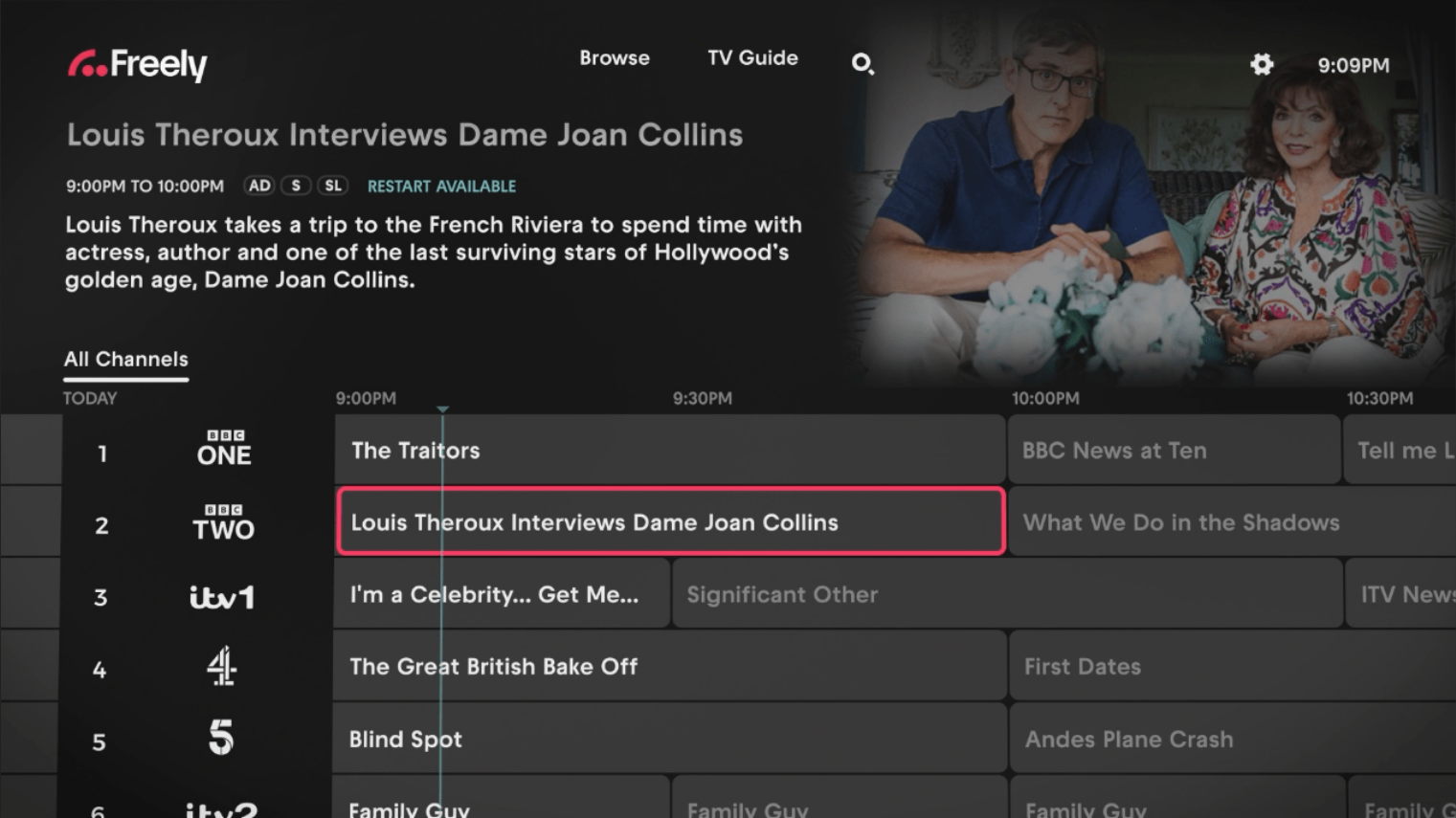
To learn more about its functionality, read the detailed article about using Smart Guide.
What channels are available to watch with Freely?
See a list of all available channels here.
Last updated at 2/19/2026 7:55:22 PM
Was this article helpful?
Related articles
Need more help?

Chat with us
Get help from our support bot or connect to an advisor.
Available daily 4 am-10 pm PT